How to Optimize Search Listings with a SERP Preview Tool
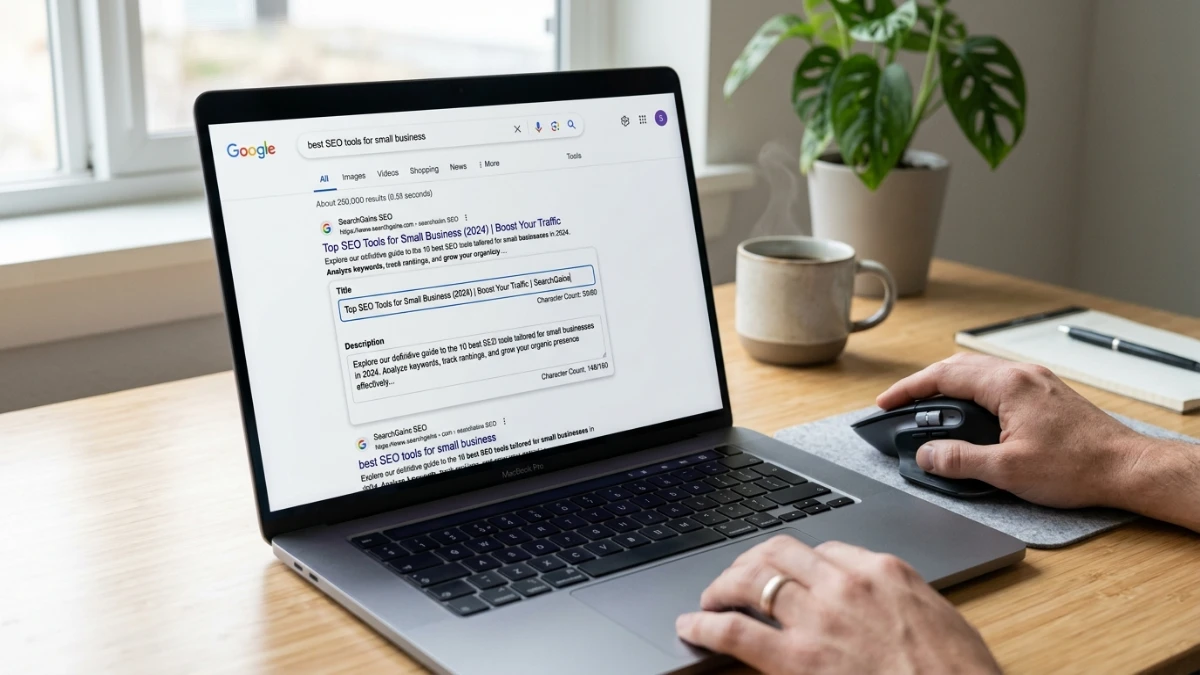
When preparing web pages for search indexing, your snippet is the primary touchpoint for users. Without a serp preview tool, it is difficult to know if your titles or descriptions will be cut off by Google's pixel limits. If your search listing is truncated, it looks unprofessional and leaves out crucial details that could otherwise drive users to your site. A structured optimization workflow ensures that every title and description is crafted to capture user interest, satisfy crawler criteria, and maintain your brand's integrity across search engine result pages (SERPs).
Modern search platforms rely heavily on click-through rate (CTR) to evaluate the relevance of organic results. A poorly structured meta description or a title that ends in an abrupt ellipsis signals low quality to searchers, driving them to click on competing links. To prevent this loss of traffic, developers and content writers must adopt pre-publishing verification processes that align with Google's rendering engines, checking exactly how metadata scales across varying viewports and screen orientations.
The Technical Math Behind Google's Search Result Limits
Google doesn't measure search snippet limits by standard character count; it measures them by pixel width. Title tags are generally limited to around 600 pixels (roughly 60 characters), and meta descriptions are capped at approximately 960 pixels on desktop (around 155-160 characters). Because characters have different widths, using a simple length validator is not enough to guarantee that your text fits perfectly.
Why pixel width is variable: Capital letters (like 'W' or 'M') take up significantly more pixel width than lowercase letters (like 'i' or 'l'). Therefore, a title with 55 characters could be truncated if it contains many capital letters, while a 65-character title composed of narrow characters might fit perfectly. A professional visualizer handles these typographic variances by using standard font metrics to model the exact rendering behavior of search engines.
Mobile devices have smaller screens, but Google allows slightly longer title wraps in some cases, while restricting descriptions to about 680 pixels (around 120 characters). The solution is real-time visualization that calculates actual widths dynamically to warn users when they approach or exceed safety thresholds. Having separate desktop and mobile views helps you craft responsive titles that work across all user devices.
Why Every Modern Content Workflow Needs a SERP Preview Tool
It eliminates the guessing game. Content creators can write multiple variations, test them, and pick the highest-impact option. Rather than deploying meta changes and waiting days for search crawlers to update their index just to see the result, publishers can refine their tags in real time. This immediate feedback loop saves time and ensures that only fully polished code reaches your production environment.
Running your metadata through a snippet visualizer before publishing eliminates uncertainty, ensuring your search snippets remain clean and professional. This step is particularly vital for websites running automated publishing systems or headless content management systems (CMS). In these environments, templates may generate dynamic titles that exceed standard lengths, requiring manual overrides or fallback rules to prevent clipping.
By utilizing a dedicated visualizer, you can swap between desktop and mobile previews, check length constraints, and export ready-to-use HTML code. Try the ToolMars SERP Preview Tool to test your title and meta description dynamically.
Key Metadata Design Principles
- Primary Keyword Placement: Position your target keyword as close to the beginning of the title tag as possible to signal relevance. Search engines place more weight on the first few words, and users can identify the subject of your page faster when the primary query is visible upfront.
- Compelling Call-to-Action: End your meta description with a clear incentive, such as "Read more," "Learn how," or "Get free access." A clear call to action prompts the user to take the next logical step and sets clear expectations for the target page.
- Unique Value Proposition: Summarize what makes your page unique compared to the search results surrounding it. If you offer a free tool, a comprehensive guide, or unique insights, state it clearly in the snippet to stand out from competitors.
Step-by-Step Meta Tag Optimization Guidelines
Creating search-optimized metadata involves more than just fitting text within pixel limits; it requires a structured approach to copywriting and keyword targeting. Start by identifying the primary intent of your page and aligning the title with what searchers are looking for. Avoid keyword stuffing, which search engines penalize and users find spammy. Use a natural tone that reads like a human wrote it for another human.
Once your search snippet is optimized, you must ensure that search engine crawlers can access your pages. You can use the ToolMars Robots.txt Generator to manage crawler permissions and declare sitemaps safely. Additionally, pairing your optimized snippets with valid structured data using the ToolMars Schema Generator can trigger rich search results, such as FAQ sections or product ratings, which dramatically increases organic performance.
Implementing a Local Title and Meta Length Warning System
For developers building content management systems or custom publishing dashboards, integrating a visual helper that checks title and meta description lengths can prevent editors from saving overly long text blocks. Below is a TypeScript helper utility that calculates approximate pixel widths using a custom width map. This approach is highly effective because it avoids the overhead of loading full font canvases while providing a reliable estimate of spatial rendering limits:
/**
 * Utility to calculate approximate pixel width of a string.
 * This helper uses a character-to-pixel map to estimate Google SERP limits.
 */
export function estimatePixelWidth(text: string): number {
  const charWidthMap: Record<string, number> = {
    a: 8, b: 9, c: 8, d: 9, e: 8, f: 5, g: 9, h: 9, i: 3, j: 3, k: 8, l: 3, m: 13,
    n: 9, o: 9, p: 9, q: 9, r: 5, s: 8, t: 5, u: 9, v: 8, w: 12, x: 8, y: 8, z: 8,
    A: 10, B: 10, C: 11, D: 11, E: 10, F: 9, G: 12, H: 11, I: 4, J: 8, K: 10, L: 9, M: 13,
    N: 11, O: 12, P: 10, Q: 12, R: 11, S: 10, T: 9, U: 11, V: 10, W: 14, X: 10, Y: 10, Z: 9,
    " ": 4, "-": 5, "|": 3, ".": 3, ",": 3, "?": 8, "!": 4, "&": 10
  };

  return text.split("").reduce((acc, char) => {
    return acc + (charWidthMap[char] || 8);
  }, 0);
}

export function validateMetadata(title: string, description: string) {
  const titleWidth = estimatePixelWidth(title);
  const descWidth = estimatePixelWidth(description);

  return {
    title: {
      width: titleWidth,
      isValid: titleWidth <= 600,
      charCount: title.length
    },
    description: {
      width: descWidth,
      isValid: descWidth <= 960,
      charCount: description.length
    }
  };
}Frequently Asked Questions
Q: What is the ideal character length for title tags?
A: While search engines measure by pixels, keeping your titles between 50 to 60 characters usually ensures they fit within the 600-pixel desktop limit without being cut off. This range provides enough space to include your primary keyword and brand name while maintaining clean visual presentation.
Q: How long should meta descriptions be?
A: For desktop, aim for 150 to 160 characters (up to 960 pixels). For mobile devices, search engines truncate descriptions around 120 characters (roughly 680 pixels), so put your most critical information first. Crafting a concise description that delivers value within both limits ensures optimal cross-device presentation.
Q: Does having a meta description directly improve organic rankings?
A: Meta descriptions are not a direct ranking factor in Google's algorithm. However, they significantly influence click-through rate (CTR), which is a key signal that drives traffic and indirectly supports ranking performance. A high CTR tells search engines that your page is highly relevant to users' search queries.
Q: What happens if I don't write a meta description?
A: If you leave the meta description blank, search engines will automatically generate one by scraping text from the first paragraph or content sections of your page. This automated snippet is rarely as compelling or optimized as a custom-written tag, potentially lowering your click-through rates.
Q: Can I use emojis in my titles and meta descriptions?
A: Yes, you can use emojis to stand out in search results, but use them sparingly. Emojis take up pixel space and may be stripped out by search engines if they are deemed irrelevant or spammy. Always test them in a visual mockup beforehand to ensure they render correctly.